
Point your assistant at a ready endpoint
Connect a compatible client to the hosted Sheet Best MCP endpoint. The assistant discovers the Sheet Best tools and their inputs, so you do not have to turn every API call into a custom integration first.
Give Codex, Claude, Gemini, and other MCP-compatible assistants controlled tools to discover your Sheet Best connections, read rows, and make approved updates—without building or hosting another integration.
New to Sheet Best? Start a 30-day trial . No credit card required.
Sheet Best MCP
One hosted MCP endpoint
Your Google Sheet
Live Sheet Best connection
Assistant tools
A REST API is ideal when your application already knows which request to make. MCP is different: the assistant can discover the available operations, choose the right tool, and use it as part of the work you asked it to do.
Connect a compatible client to the hosted Sheet Best MCP endpoint. The assistant discovers the Sheet Best tools and their inputs, so you do not have to turn every API call into a custom integration first.
A generic Google Sheets MCP server still leaves hosting, authentication, and access control with you. Sheet Best hosts the server and applies your connection’s allowed methods, Google permissions, quotas, and access rules.
While your assistant builds a website, app, or automation, it can also connect the Google Sheet behind it, read the data, add records, and make controlled updates through the same Sheet Best tools.
Use the REST API
For application code and predictable requests that you define.
Use Sheet Best MCP
For assistant workflows where the model needs to discover and choose the right operation.
Your Google Sheet stays the source of truth. Sheet Best provides the secure tool layer your assistant can understand.
Paste a Google Sheet URL into Sheet Best and keep using the same connection as your REST API.
Turn on MCP support in settings, generate a dedicated token, and store it in your client’s secure configuration.
Add the hosted endpoint, list your connections, check permissions, and start with a small read before approving writes.
The assistant discovers a defined set of Sheet Best operations and chooses the appropriate tool. It does not receive unrestricted spreadsheet access.
List the Sheet Best connections available to your account and select the right sheet.
Filter, query, inspect, and retrieve spreadsheet rows through structured tools.
Add, update, replace, or delete rows only when the connection allows that method.
Inspect permissions, request limits, and sheet information before approving a change.
sheetbest_list_connectionsList the Sheet Best connections available to your account and select the right sheet.
sheetbest_list_rowssheetbest_query_rowsFilter, query, inspect, and retrieve spreadsheet rows through structured tools.
sheetbest_add_rowssheetbest_update_rowssheetbest_delete_rowsAdd, update, replace, or delete rows only when the connection allows that method.
sheetbest_get_permissionssheetbest_get_limitssheetbest_get_infoInspect permissions, request limits, and sheet information before approving a change.
MCP is opt-in. Account-level access and per-connection availability are separate safeguards, while existing Sheet Best method restrictions and plan limits continue to apply.


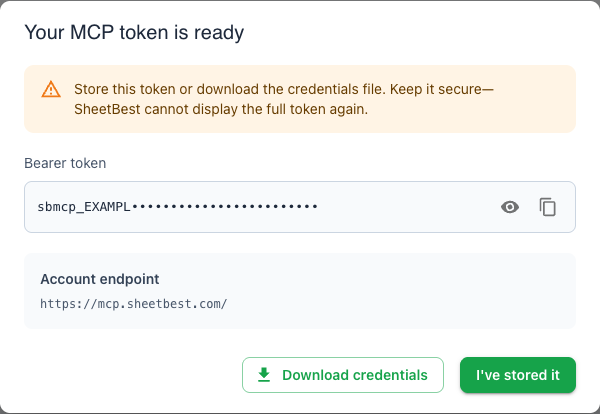
The full MCP token is shown only once. Sheet Best stores its cryptographic hash, and replacing a token revokes the previous credential.
For a limited time, MCP is available to every Sheet Best user, including Tiny. We will announce the timing before introductory access changes.
Sheet Best MCP is a hosted Model Context Protocol server that gives compatible AI assistants controlled tools for discovering your Sheet Best connections and reading or updating Google Sheets rows.
Any client that supports remote Streamable HTTP MCP servers with bearer-token authentication can connect. Current examples include Codex, Claude, and Gemini-compatible tooling.
No. MCP is opt-in at the account level, each connection can be enabled or disabled independently, and Sheet Best continues to enforce allowed methods, Google permissions, quotas, origin rules, IP rules, and plan limits.
You generate a dedicated MCP bearer token in Sheet Best settings. The complete token is displayed once, and Sheet Best stores only its cryptographic hash. Keep the token in your MCP client’s secure configuration, never in prompts, URLs, screenshots, or source code.
Yes. Both interfaces use the same Sheet Best connection and Google Sheet. MCP is useful for interactive assistant workflows, while the REST API remains available for application code and predictable requests.
MCP is normally available on Personal and higher plans. For a limited time, every Sheet Best user can try it, including Tiny users.
Connect a Google Sheet, generate your MCP token, and make the first permission-aware request in minutes.